Romano’s Macaroni Grill is Italian- American cuisine. It is a casual dining restaurant chain with more than 90 locations worldwide, including The United States of America, Mexico, Germany, Japan, Bahrain, Oman, Egypt, Kuwait, Qatar, The United Arab Emirates, Puerto Rico, etc. It was founded by taking four words seriously as “Do the right thing” to ensure the best service for the customers. Customers can approach management without fear of reprisal or retaliation for any problem, as they prefer two-way communications to discuss work-related or behavioral issues. All the Romano’s Macaroni Grill Employees distributed their pay stubs, w2 statements, and other benefits via InfoSync payroll service on the UltiPro portal https://infosync.ultipro.com.
How to Login?
From the UltiPro portal’s login page with the specific link https://infosync.ultipro.com, you can log in by providing your login credentials as User Name and Password. After a successful login attempt, your Dashboard or Personal UltiPro Screen will appear on your device’s screen, where you can view, print, or download your pay stubs and w2 statements; besides, you can manage your personal information, contact information, and other benefits also.

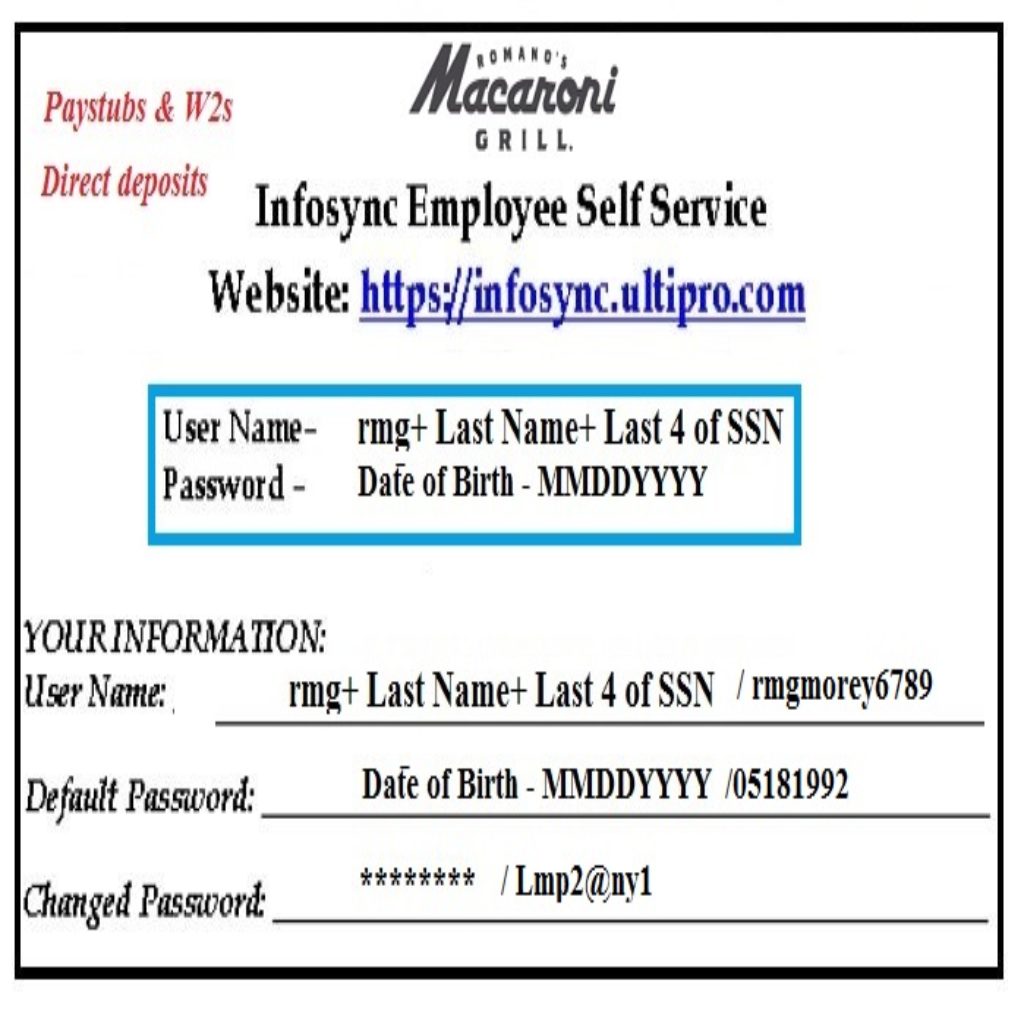
Initial Log-in process for New or First Time Users?
- Visit the login page of the portal with the link: https://infosync.ultipro.com.
- Log in with your User Name and Default or Initial Password. Your User Name is rmg + last name + last four digits of SSN (Social Security Number). For Example, you are Ricky Morey, and your SSN is 12456789. So, your User Name will be rmgmorey6789. Your default or initial password is your birthdate following the ‘MMDDYYYY’ format. For Example, your birth date is 18 May 1992, and your initial passwPassword5181992.
- If you are using or going logging in through the mobile app, you must provide your access code as RMacGrill.
- Now you have to change your Default or initial Password from the password changing screen, provided automatically on your device’s Display. New Password requirements will be available on the net, and you should follow the instructions from the screen properly.
- In this step, you must answer three challenge questions by selecting from the dropdown list according to your security purpose choice.
- Finally, you will get the Dashboard or Personal UltiPro Screen on Display. You can get your desired information and documents with specific options and view, download, or print those documents from the Menu bar from the screen’s left-top.
Retrieve your Forgotten Password
You can reset or retrieve your forgotten password through the login page link ‘Forgot Your Password?’ link. Provide your User Name to get the proper way to recover your password can get a password reset link by providing both the User Name and Company Access Code. (Your company access code is available to your employer or HR office).
RESOURCES: infosync.ultipro.com
Disclaimer: The Romano’s Macaroni Grill and The Romano’s Macaroni Grill’s logos are the registered trademarks and copyrighted work of The Romano’s Macaroni Grill.

